Document Library (AI Q&A)
Sep 7, 2025
·
2 min read
 Document Library in Nodlin
The Document Library agent lets you attach documents, ask questions of their content, and receive AI-powered answers with traceable evidence — a full RAG (Retrieval-Augmented Generation) pipeline integrated into Nodlin.
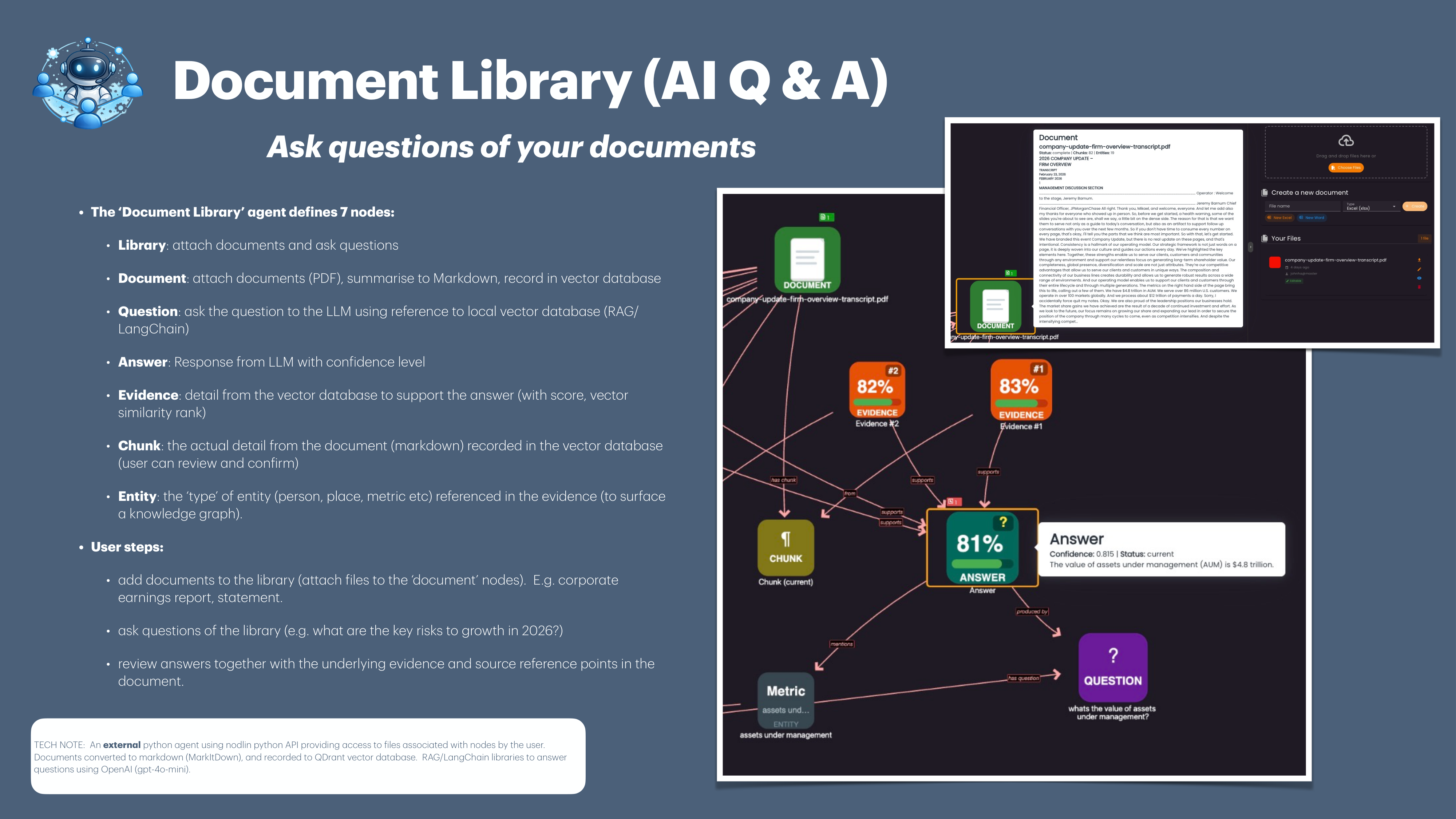
The agent defines seven node types:
- Library 📚 — Attach documents and ask questions
- Document 📄 — Attach files (PDF), summarise to Markdown, record in vector database
- Question ❓ — Ask questions using the local vector database (RAG/LangChain)
- Answer 💬 — AI response with confidence level
- Evidence 🔍 — Supporting detail from the vector database with similarity score
- Chunk 📎 — The actual document content (Markdown) recorded in the vector database
- Entity 🏷️ — Person, place, metric, or other entity type extracted from evidence to surface a knowledge graph
How It Works
- Add documents to a Library by attaching files (e.g. corporate earnings reports, policy documents)
- Documents are automatically converted to Markdown and indexed in a vector database
- Ask questions of the library (e.g. “What are the key risks to growth in 2026?”)
- Review answers alongside the underlying evidence and source reference points
Benefits
- Traceable Answers 🔎 — Every answer links to the evidence and source document chunks that support it
- Knowledge Graph 🌐 — Entities (people, places, metrics) are extracted to surface connections
- Confidence Scoring 📊 — Answers include a confidence level so you know how reliable they are
- Collaborative 🤝 — Teams share libraries and build institutional knowledge together
