Spreadsheet Link
Sep 7, 2025
·
1 min read
 Spreadsheet Link in Nodlin
The Spreadsheet Link node type integrates spreadsheets directly with Nodlin. Attach a spreadsheet, extract named cells or ranges, and any changes propagate through your graph in real-time — powered by integrated OnlyOffice for online editing.
How It Works
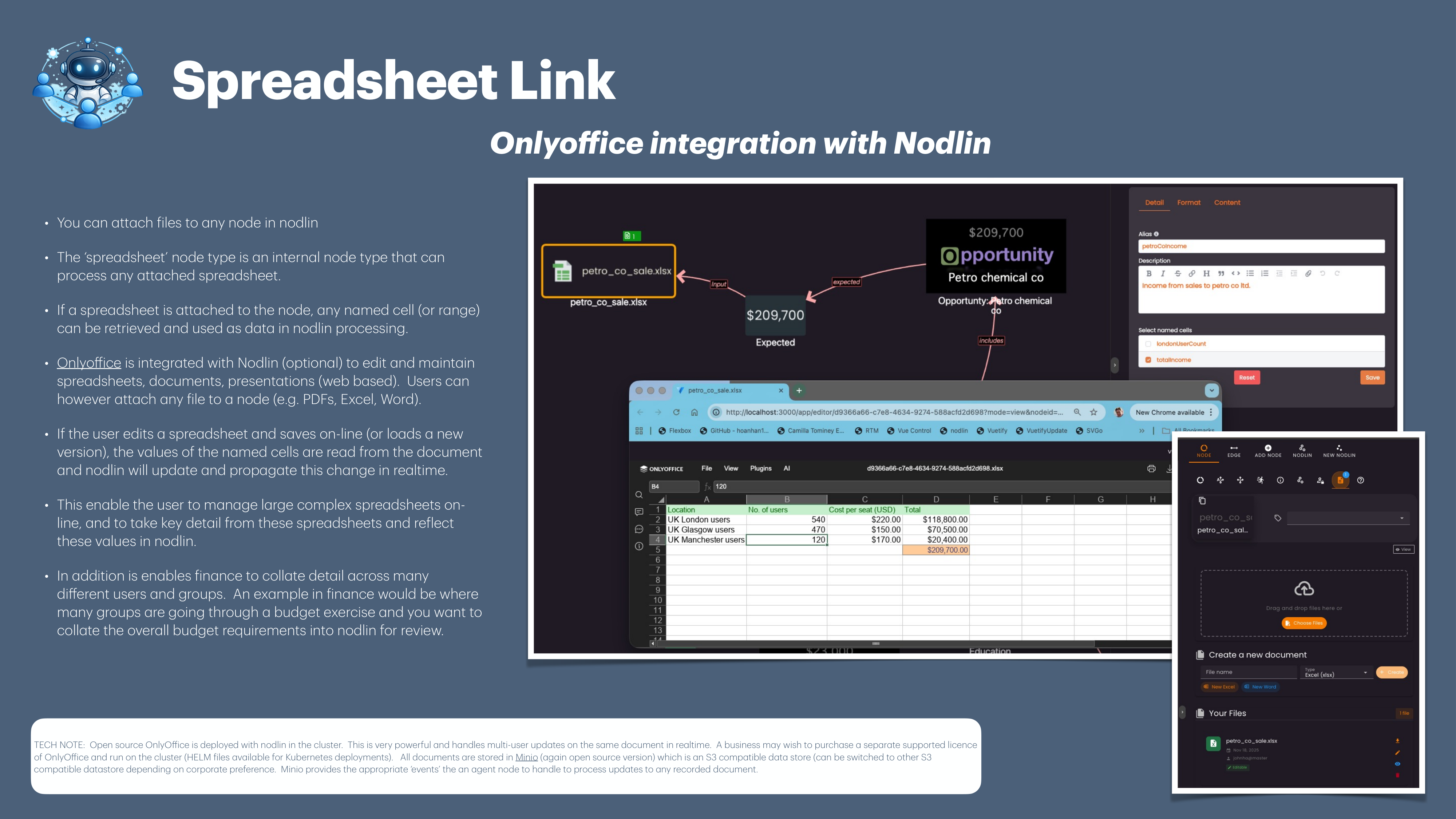
- Attach a spreadsheet to a Spreadsheet node (any file can be attached to any node in Nodlin)
- Define named cells or ranges in your spreadsheet
- The node extracts these values and makes them available as data in Nodlin processing
- Edit spreadsheets online via integrated OnlyOffice — multi-user editing in real-time
- When a user saves changes, named cell values are read and Nodlin propagates updates instantly
Key Features
- Named Cell Extraction 📊 — Reference specific cells or ranges from complex spreadsheets
- Real-time Propagation ⚡ — Spreadsheet changes flow through the graph immediately
- OnlyOffice Integration 📝 — Edit spreadsheets, documents and presentations online with multi-user support
- Budget Collation 💰 — Collate detail across many users and groups (e.g. departmental budget exercises reviewed centrally in Nodlin)
Use Cases
- Finance teams managing complex budget spreadsheets while surfacing key metrics in Nodlin
- Cross-departmental data collation where many groups contribute via spreadsheets
- Bridging legacy spreadsheet workflows with real-time graph-based analysis
