Writing Documents
Sep 7, 2025
·
2 min read
 Writing Documents in Nodlin
Writing Documents provides a more natural, visual approach to structuring documents. Instead of a linear word processor, build your document as a graph — linking sections, evidence, and supporting material — then export a polished linear document when ready.
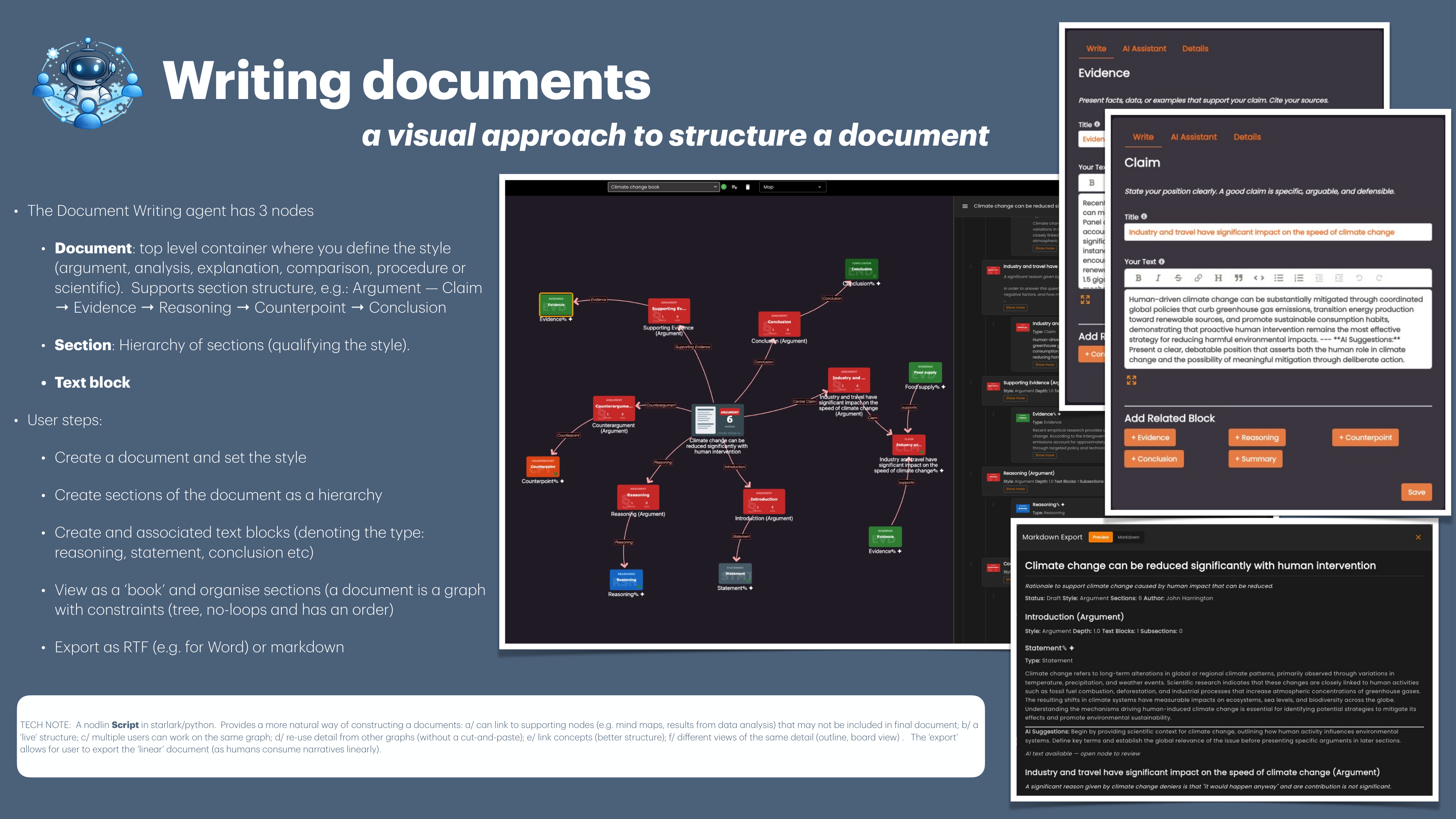
The agent defines three node types:
- Document 📄 — Top-level container where you define the style (argument, analysis, explanation, comparison, procedure, or scientific). Supports section structure, e.g.: Argument — Claim → Evidence → Reasoning → Counterpoint → Conclusion
- Section 📁 — Hierarchy of sections qualifying the document style
- Text Block 📝 — Content blocks denoting type: reasoning, statement, conclusion, etc.
How It Works
- Create a Document and set the writing style
- Create a hierarchy of Sections
- Add Text Blocks (reasoning, statement, conclusion, etc.) linked to sections
- View as a book and reorganise sections — a document is a graph with constraints (tree, no loops, ordered)
- Export as RTF (for Word) or Markdown
Benefits
- Graph-Based Structure 🌐 — Link to supporting nodes (mind maps, data analysis) that may not appear in the final document
- Live Collaboration 🤝 — Multiple users work on the same document graph simultaneously
- Re-use Without Copy-Paste 🔄 — Reference detail from other graphs directly
- Multiple Views 📐 — Outline view, board view, and graph view of the same content
- Clean Export 📤 — Export the linear narrative for traditional consumption
